With the voice assistant, your guests can talk to your AI co-host in a live, natural conversation. They can call a dedicated phone number, or start a voice conversation directly from their welcome guide. It uses the same knowledge and the same rules as written conversations, and calls are transferred to you when the guest needs you.
This article explains how to enable it, how much it costs, how your guests use it, and how to keep control of your spending.
The voice assistant costs €10/month (Excl. VAT) for your whole account, however many properties you turn it on for. It includes 60 minutes of conversation per month, shared by all your properties. Beyond the included minutes, extra usage is billed 0.25 EUR/min (Excl. VAT).
It is billed on your monthly subscription invoice, together with your properties. When you turn it on for the first time, the amount for the rest of the current month is added to your next invoice. Turning it on for more properties costs nothing extra.
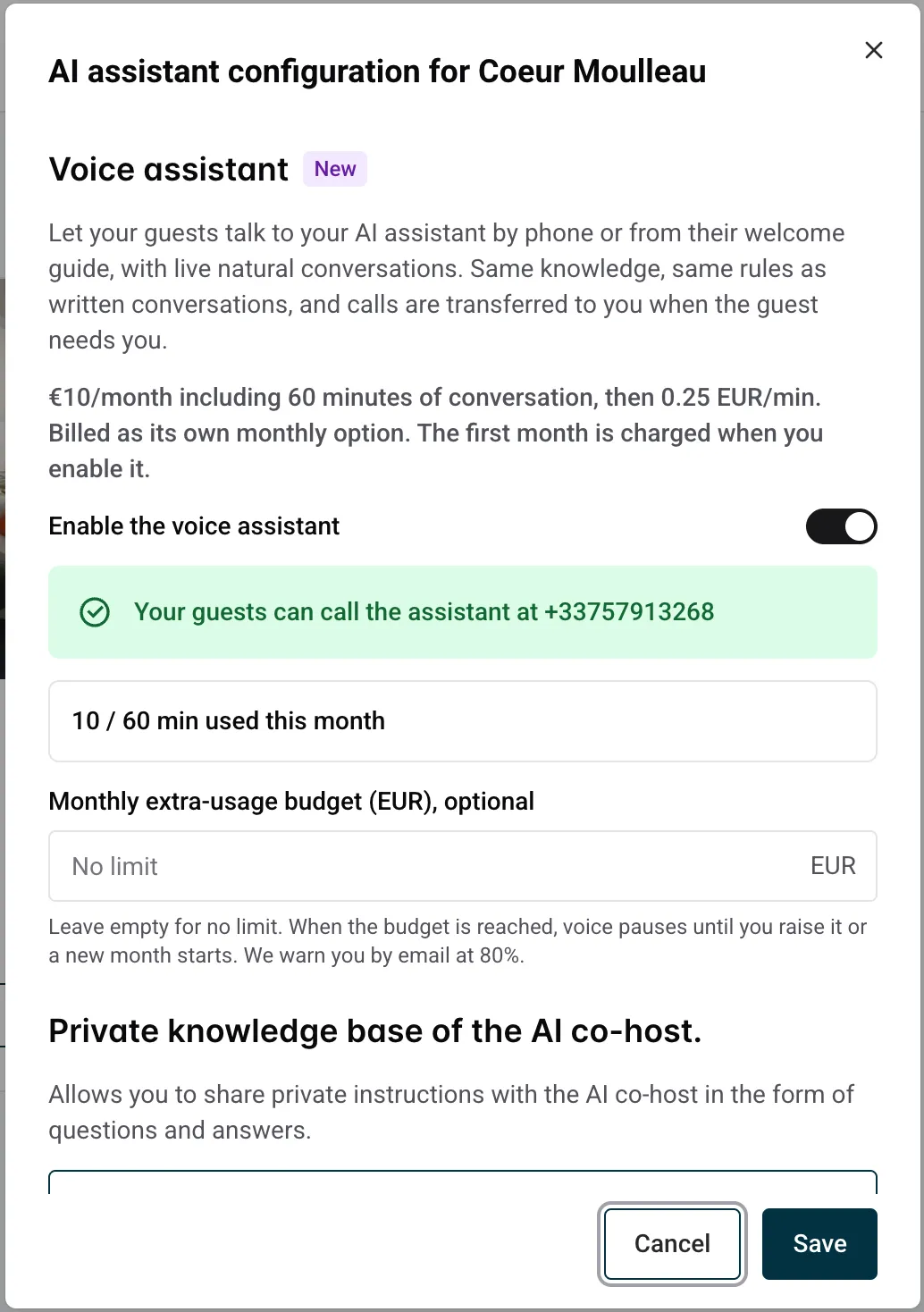
Once enabled, a green banner shows the phone number your guests can call, and a meter shows the minutes used this month across all your properties. Properties in the United States and Canada get a US phone number; all other properties get a French number.
Guests simply call the assistant phone number. When they call with the phone number saved on their reservation, they are recognized automatically and the conversation starts right away, in their language.
When they call from another phone, the assistant asks them to enter their 6-digit access code on the keypad.
When the voice assistant is active, guests see a “Talk to your assistant” button in their welcome guide.
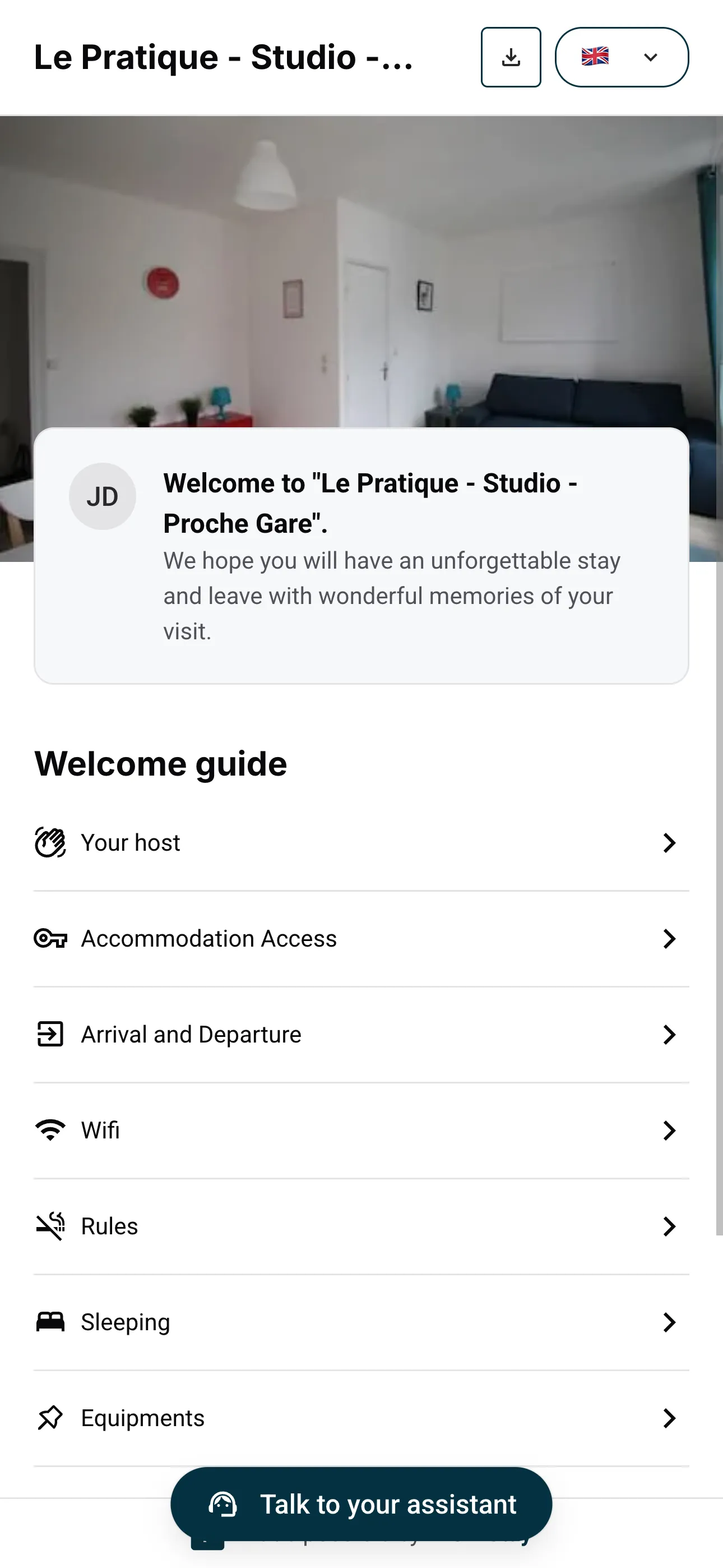
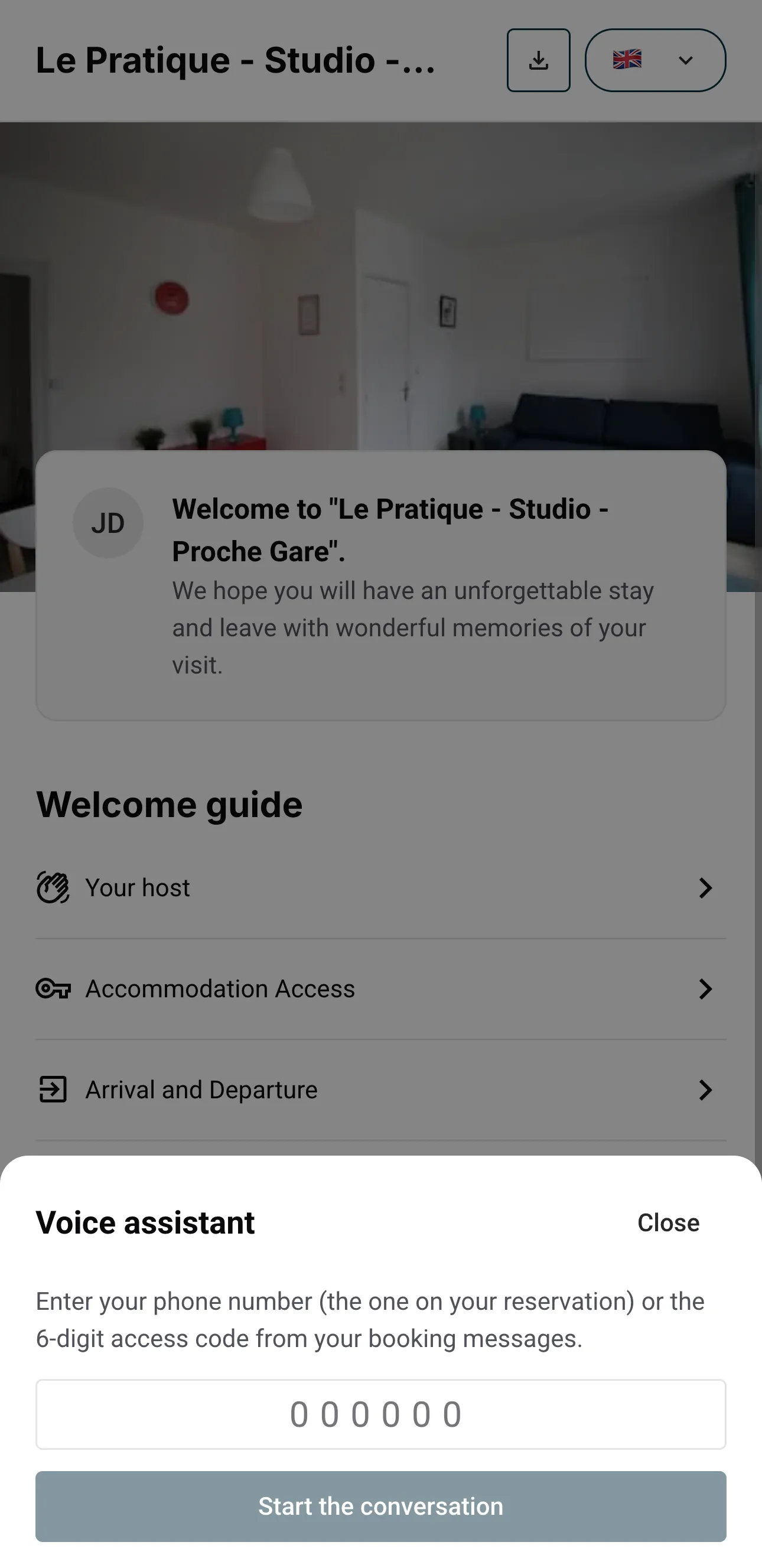
When guests open the personalized guide link sent with {{welcome_guide_url}} or copied from their booking details, their voice access is already included, provided the voice assistant is active. If they open the guide’s general link or QR code instead, they enter the phone number on their reservation or the 6-digit access code from their booking messages. After identification, the conversation starts directly.
Open any booking from the Bookings page. The Voice assistant block in the booking details shows everything for that guest:
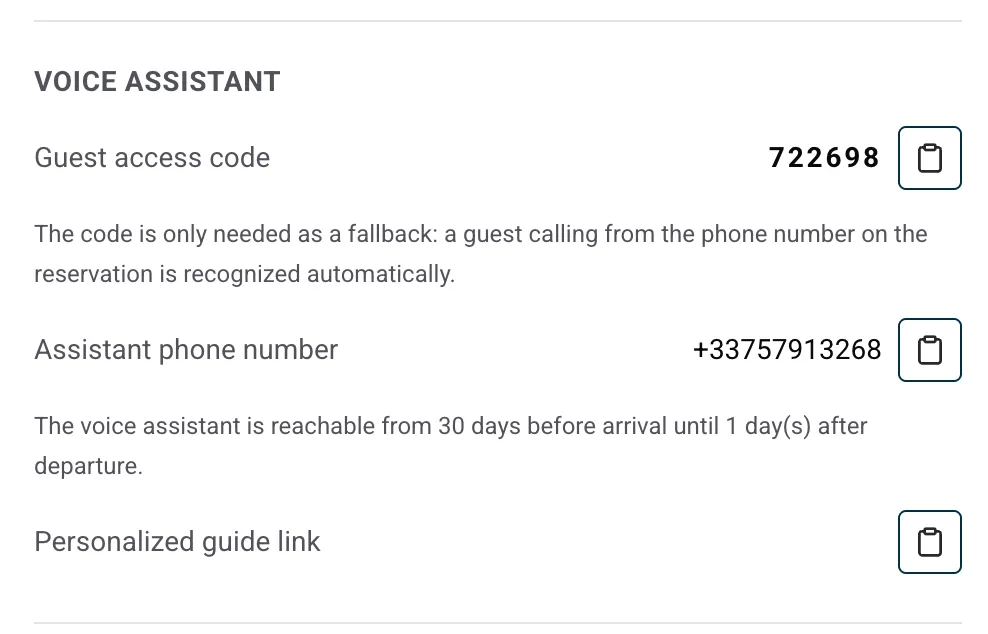
The code is only needed as a fallback: a guest calling from the phone number on the reservation is recognized automatically.
The AI voice assistant answers from 7 days before arrival until 1 day after departure. The exact period is also shown in the booking details.
Outside this period, calls are transferred to you instead. When a guest calls the assistant phone number and is recognized, by the phone number on their reservation or by their access code, the call rings on the Mobile phone number set in Property infos. This works for any upcoming stay, however far ahead, and until 30 days after departure. These transferred calls do not count toward your voice minutes. From the welcome guide, voice conversations stay available only during the AI period.
Use {{welcome_guide_url}} in your automated guest messages. Nowistay personalizes this welcome guide link for each booking: it includes access to available extras and adds voice access only when the voice assistant is active. If you offer no extras, the same variable still opens the welcome guide. You do not need a separate link for each feature.
In the message editor, click Insert variable. Choose {{welcome_guide_url}} in Property. You can also insert these voice details:
{{voice_access_code}}: the guest’s private code for the voice assistant by phone or from the welcome guide.{{voice_phone_number}}: the assistant’s phone number.These two voice variables are filled only when the voice assistant is active. For an extras identification code, use {{upsells_access_code}} from the Extras group, including on properties without the voice option. When voice is active, it is the same 6-digit code as {{voice_access_code}}.
Existing templates using {{welcome_guide_voice_url}} continue to work. This older variable is hidden from the dropdown; use {{welcome_guide_url}} for new or updated templates.
Several guests can call at the same time. Each one gets their own private conversation about their own booking.
The Voice assistant section shows your usage in real time, for example “35 / 60 min used this month across all your properties”, along with any extra usage already counted for the month. The same total appears on every property, since the minutes are shared.
You can also set a “Monthly extra-usage budget for all your properties (EUR)”. Leave empty for no limit. The budget covers your whole account: when it is reached, voice pauses on all your properties until you raise it or a new month starts. We warn you by email at 80%.
Turn off “Enable the voice assistant” in the same section. If other properties keep voice, it stops on this property right away and your price does not change. If it is your last property with voice, it stays active until your next renewal, then the voice fee stops. You can turn it back on before that date at no extra cost.
To stop calls temporarily without changing your billing, use “Pause the voice assistant” in the same section.
