Nowistay lets you export all the bookings for a specific property as a CSV file. This is useful for accounting, reporting, tax preparation, or simply keeping a local backup of your booking history.
How to export your bookings
- Go to your Properties page.
- Find the property whose bookings you want to export and click the … menu (three dots) on its card.
- Select Advanced settings from the dropdown.
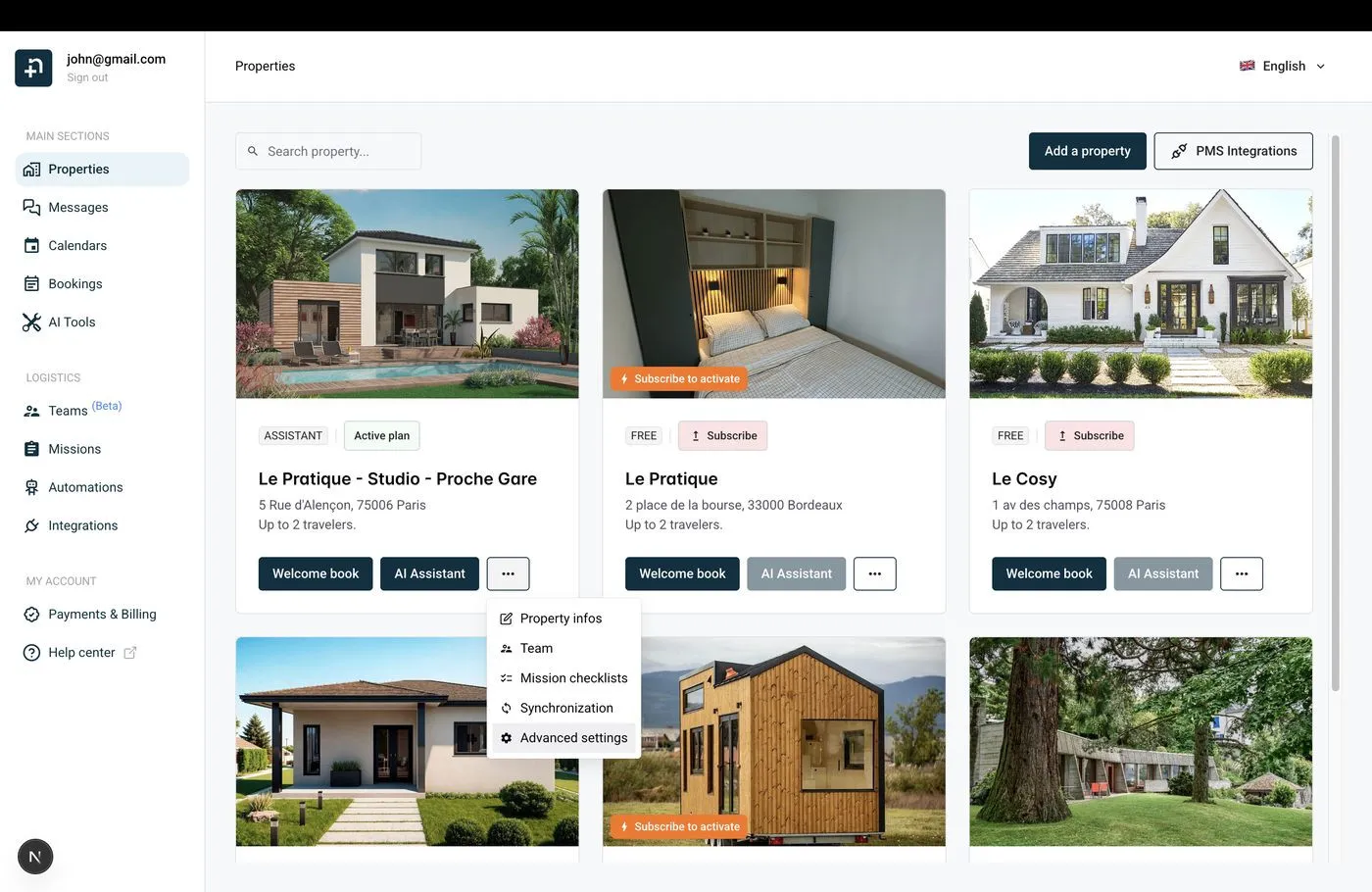
- In the Advanced settings dialog, scroll down to the Export bookings section.
- Click the Download CSV button.
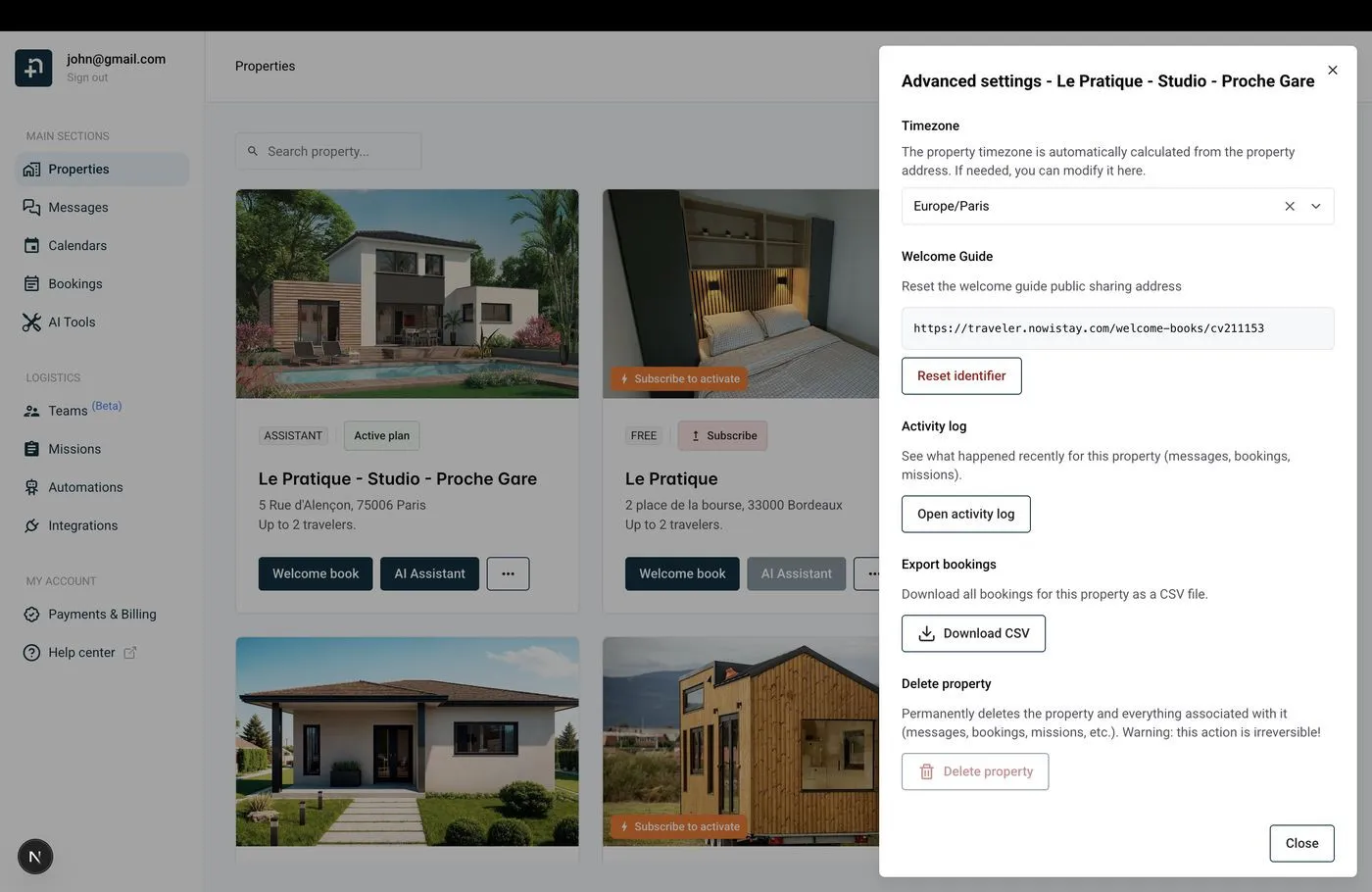
A CSV file will be downloaded to your computer containing all the bookings for that property. The file includes details such as guest names, check-in and check-out dates, amounts, booking source (Airbnb, Booking.com, direct, etc.), and other booking information.
What’s in the CSV file
The exported CSV file contains all the bookings ever recorded for this property in Nowistay. Each row represents one booking with columns for:
- Guest name
- Check-in and check-out dates
- Number of guests
- Total amount and currency
- Booking source (which platform the booking came from)
- Booking status
You can open this file in any spreadsheet application (Excel, Google Sheets, Numbers) for further analysis, filtering, or reporting.
Tips
- The export downloads bookings for one property at a time. If you manage multiple properties, you’ll need to repeat the process for each one.
- This is a full export — all bookings are included, with no date filter. You can filter by date in your spreadsheet application after downloading.
- The CSV file is generated instantly and saved to your default downloads folder.
