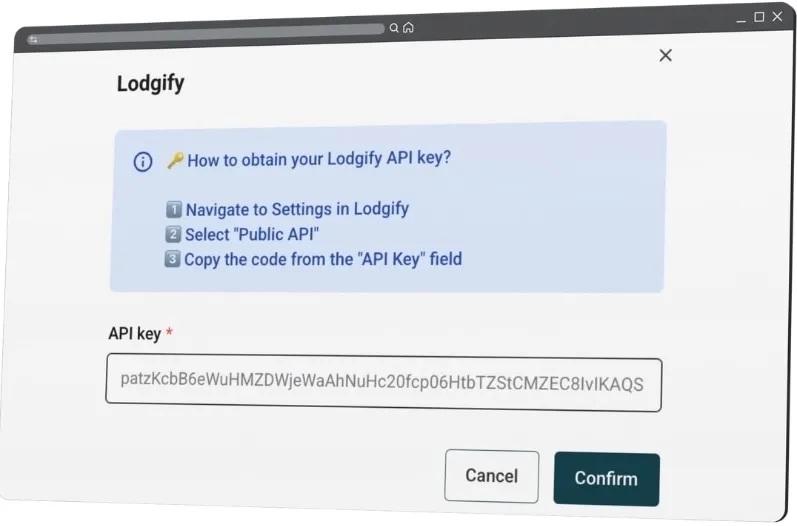
Are you using Lodgify to manage your short-term rentals? Great news: you can easily activate the nowistay co-host on your listings, whether on Airbnb, Booking.com, VRBO, or any other platform connected via your PMS / channel manager. Here’s how to do it, step by step 👇
Requirements
Before you begin, make sure you have:
- An active Lodgify account with your property or properties already configured.
- Your listings correctly synced with your booking platforms (Airbnb, Booking.com, etc.).
- An active “Assistant” subscription on nowistay.
Steps to Activate the nowistay Co-Host via Lodgify
1. Log in to your Lodgify dashboard
Go to lodigify.com and log in.
2. How to obtain your Lodgify API keys?
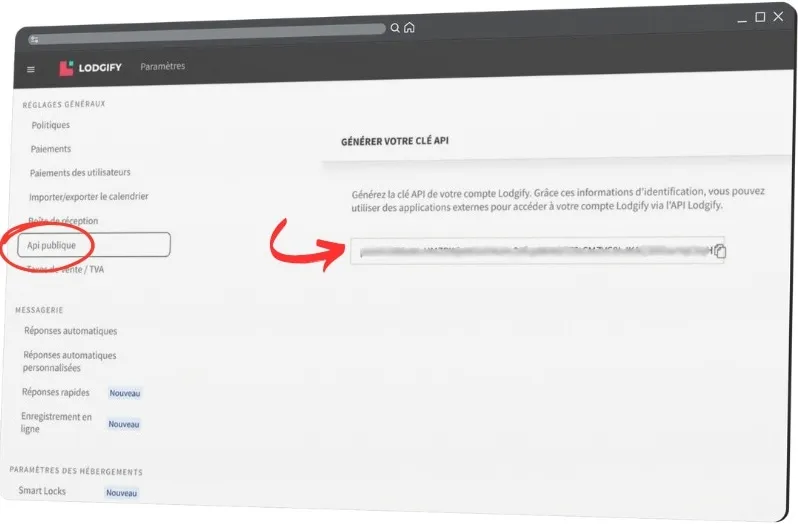
- Navigate to General Settings in Lodgify
- Select “Public API”
- Copy the code from the “API Key” field (screenshot above)
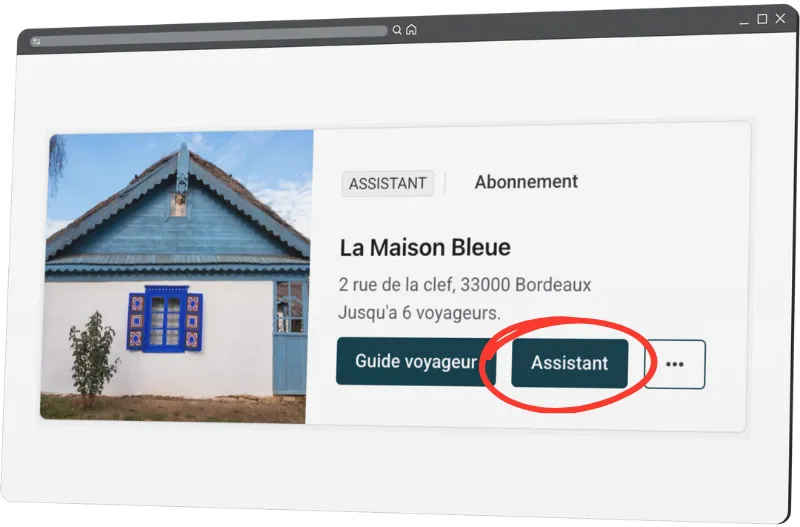
- In your nowistay property list, click on the “Assistant” button.
- Scroll down to find the “PMS” menu and click on “Lodgify” to expand it.
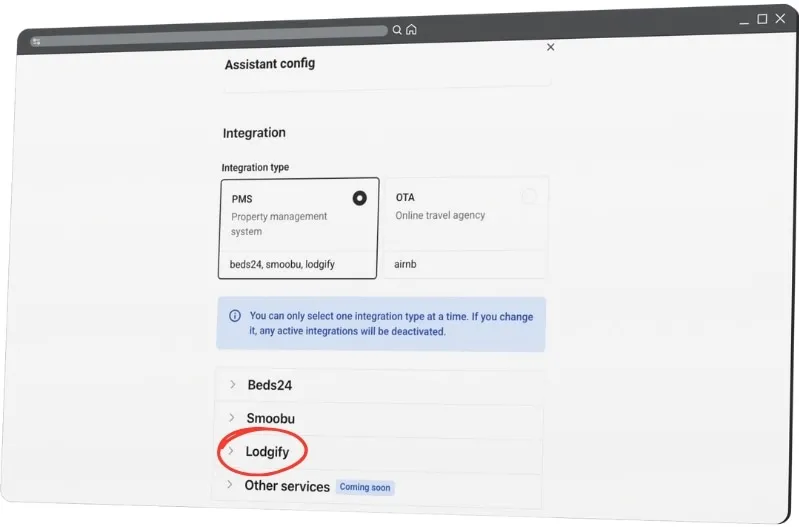
- Click on “Lodgify”. A new window will open. Click on “Connect to Lodgify”.
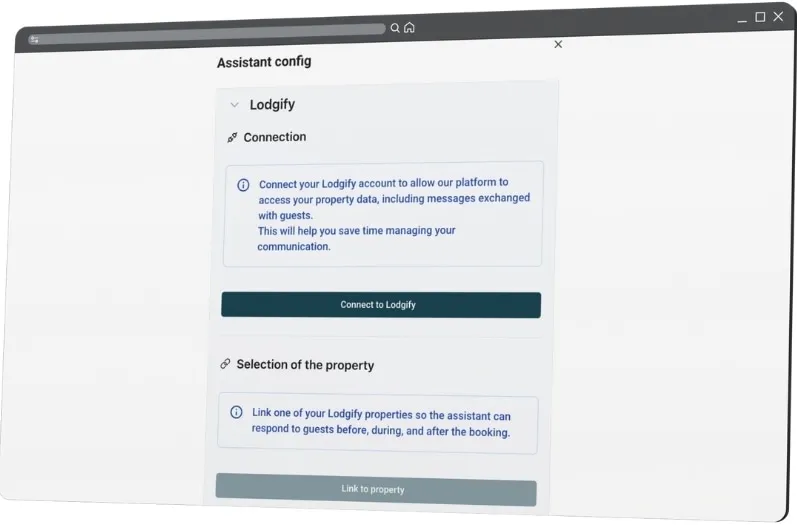
- A new window will open. Paste the previously copied Smoobu API key.